Image Source
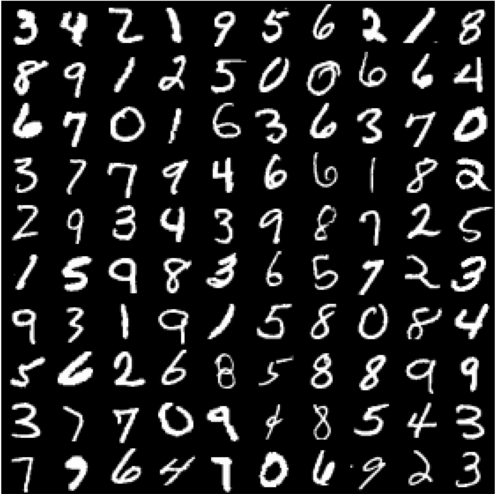
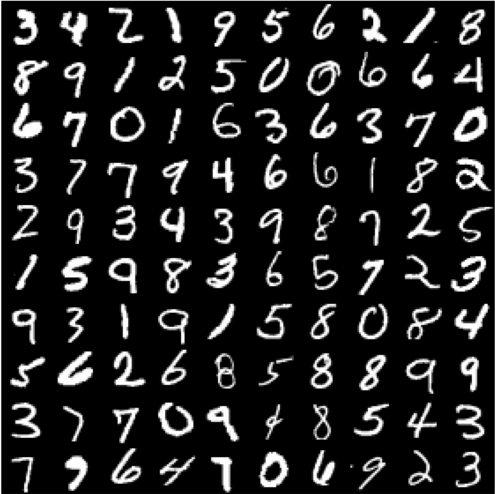
For any Beginner in the domain of Neural Network or Machine Learning, the most suitable data-set to get his/her hands dirty, is the MNIST Dataset.
But the first challenge that anyone would face before using the data in the images of the hand-written digits, in the data-set, is that the data-set is available in IDX format. Hence, the data needs to be converted to suitable format before we can use it in our code.
What is the IDX File Format?
IDX file format is a binary file format.
Why Use IDX Binary Format?
The answer is performance and memory requirements.
If we look in terms of performance, binary file formats are far better than text file formats like CSV. CSV file formats are used to store tabular data, where for reading a particular value on a certain row or column, the software has to iterate over all the previous values. Whereas in binary file format you can literally store anything, provided you also write the proper information for parsing it, in the header of the file. It then makes accessing a binary file simpler and faster.
Also, storing data in binary format takes less memory, which is really an added advantage when a large volume of data needs to be stored.
IDX File Structure
As given in the original website of “THE MNIST DATABASE of handwritten digits”
the IDX file format is a simple format for vectors and multidimensional matrices of various numerical types.
The basic format is
magic number
size in dimension 0
size in dimension 1
size in dimension 2
…..
size in dimension N
data
The magic number is an integer (MSB first). The first 2 bytes are always 0.
The third byte codes the type of the data:
0x08: unsigned byte
0x09: signed byte
0x0B: short (2 bytes)
0x0C: int (4 bytes)
0x0D: float (4 bytes)
0x0E: double (8 bytes)
The 4-th byte codes the number of dimensions of the vector/matrix: 1 for vectors, 2 for matrices….
The sizes in each dimension are 4-byte integers (MSB first, high endian, like in most non-Intel processors).
The data is stored like in a C array, i.e. the index in the last dimension changes the fastest.
Let us understand this using the example of the training images IDX file given on the original website.
Training Set Image File (train-images-idx3-ubyte)
[offset] [type] [value] [description]
0000 32 bit integer 0x00000803(2051) magic number
0004 32 bit integer 60000 number of images
0008 32 bit integer 28 number of rows
0012 32 bit integer 28 number of columns
0016 unsigned byte ?? pixel
0017 unsigned byte ?? pixel
……..
xxxx unsigned byte ?? pixel
Pixels are organized row-wise. Pixel values are 0 to 255. 0 means background (white), 255 means foreground (black).
So, as we can see here, the first 4 bytes contains the magic number.
In the magic number the first 2 bytes are 0.
Now, you must be wondering why there are so many 0s in the magic number. The answer is, the [value] is shown in HEX format. So, the first two digits are 0x00 and 0x00, where each HEX digit is represented by 4 binary bits. So, two HEX digits makes a 8-bit binary number or a byte.
The 3rd byte is the type of data, which is 0x08 (0b00001000) here. Hence the data format is unsigned byte having value from 0 to 255, as stated in their website.
And, lastly, the 4th byte is the number of dimensions, which is 0x03 (0b00000011) here. Hence the data has 3 dimensions.
The next 3 bytes give information about the sizes of the data in the 3 dimensions.
The first 4 bytes, after the magic number, gives us information on the size of the data in the 1st dimension, which is, 0x0E0A0600.
Same goes for the next two 4 bytes, from which we get the information about the sizes of the other two dimensions.
Parsing the Pixel Data
Each byte from 16th byte onward, contains pixel data, and the type of the data is unsigned byte, i.e. each pixel data is contained in a 8-bit binary digit, having value from 0 to 255.
If we parse the 16th binary data byte, and convert to decimal, we will get a value from 0 to 255, which gives us the value of the pixel at the (0,0) co-ordinate of the first Image in the training data-set.
Now, it is stated that “The data is stored like in a C array, i.e. the index in the last dimension changes the fastest.”, which means that the 17th byte in the file, will give us the data for the pixel at the position (0,1) in the first Image of the training data-set.
Similarly, the 18th, 19th and 20th byte in the file will give us the values of the pixels at the co-ordinates (0,2), (0,3), (0,4) respectively.
Python Implementation
Step 1: Importing Required Libraries
Struct is used for handling binary data stored in files. It is used to perform conversions between Python values and C structs represented as Python strings.
NumPy is the fundamental package for scientific computing with Python.
import struct as st
import numpy as np
Step 2: Open the IDX File in Binary Mode
Open the IDX file in readable binary mode.
filename = {'images' : 'train-images.idx3-ubyte' ,'labels' : 'train-labels.idx1-ubyte'}
train_imagesfile = open(filename['images'],'rb')
Step 3: Read the Magic Number
train_imagesfile.seek(0)
magic = st.unpack('>4B',train_imagesfile.read(4))
Step 4: Read Dataset Dimensions
Img = st.unpack('>I',train_imagesfile.read(4))[0] #num of images
nR = st.unpack('>I',train_imagesfile.read(4))[0] #num of rows
nC = st.unpack('>I',train_imagesfile.read(4))[0] #num of column
Step 5: Declare Image NumPy Array (Optional)
images_array = np.zeros((nImg,nR,nC))
Step 6: Reading the Image Data
‘B’ is used since it is of ‘unsigned char’ C type and ‘integer’ Python type and has standard size 1 as mentioned in the official documentation of struct.
‘>’ is used since the data is in MSB first (high endian) format used by most non-Intel processors, as mentioned in their original website.
Similarly, the rest of the files can be extracted in the same way as mentioned above.
Instead of reading the whole file in a single line of code, the file can also be read by iterating multiple times for each image. (That would make the process slower)
For a modified variation of the above code, check out this link to this notebook on my Github repo.
Originally published on Medium.